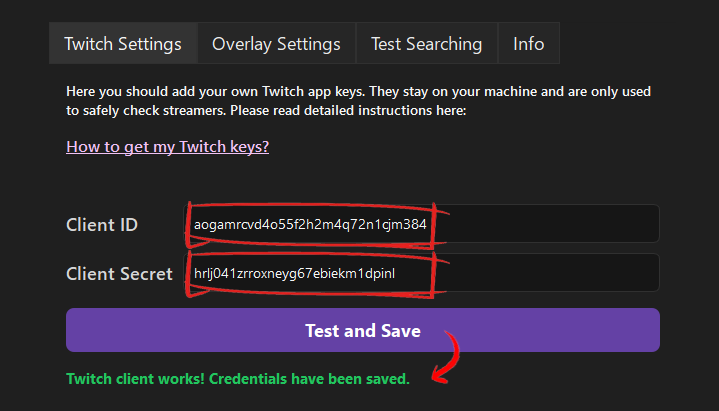
Twitch app setup for StreamScope
Follow these steps to create your own Twitch app and paste the Client ID and Client Secret into StreamScope. We make this easy and safe, and you stay in full control of your keys.
Why we ask for your keys
We want your app to work as fast as possible. When you register a Twitch app, it allows you to perform a maximum of 10 searches per second. That's plenty for one user, but not nearly enough for 100 users. That's why you should create your own app - so you don't have to share that limit with anyone else!
Full speed, no shared limits
Your own app keeps results fast because you are not sharing that limit with anyone else.
Stored locally
Your Client ID and Client Secret are stored locally.
Public data only
StreamScope uses the keys only to read public stream data.
Revocable anytime
You can regenerate or revoke the secret from the Twitch console whenever you want.
Step-by-step setup
If you follow the steps in order, it takes about 3 minutes.
Enable 2FA
Make sure you have 2FA enabled (or Twitch will complain). Enable 2FA here.
Open the Twitch Developer Console
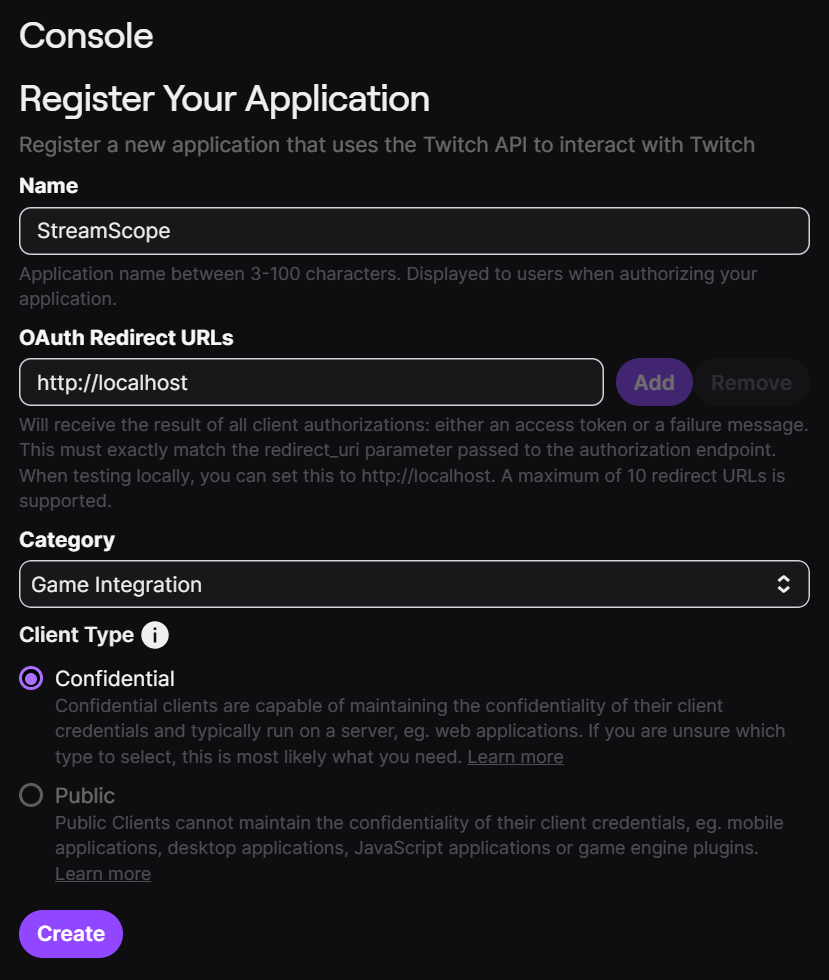
Click on Register Your Application
Fill the Form
- Name (must be unique)Use a unique name, for example StreamScope-YourTwitchName (not just StreamScope).
- OAuth Redirect URL
Enter
This is a bs setting, we don't use it at all. Twitch just requires it for registration. - CategoryPick any category you like. It doesn't matter.
- ConfidentialSince it's only your app, it shouldn't be public.
- Click CreateThis finishes the registration.
If Twitch shows the message "user must have two factor auth enabled to perform this action", add 2FA to your Twitch account and try again.
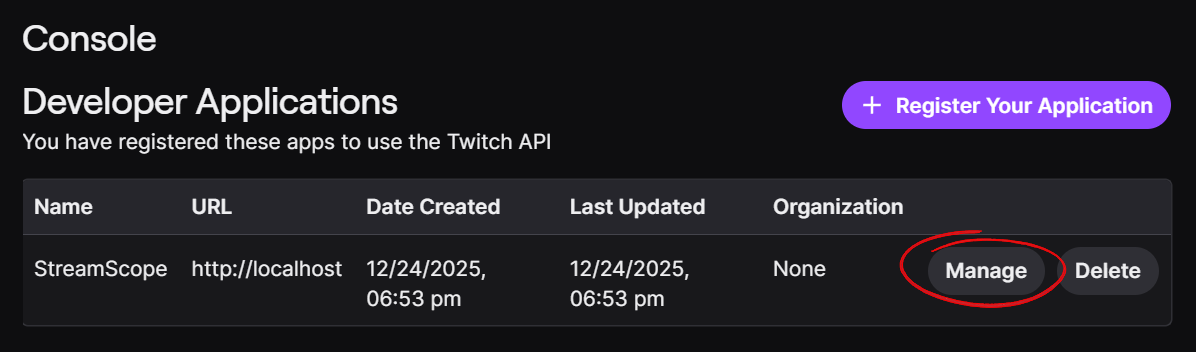
Open your app with "Manage"
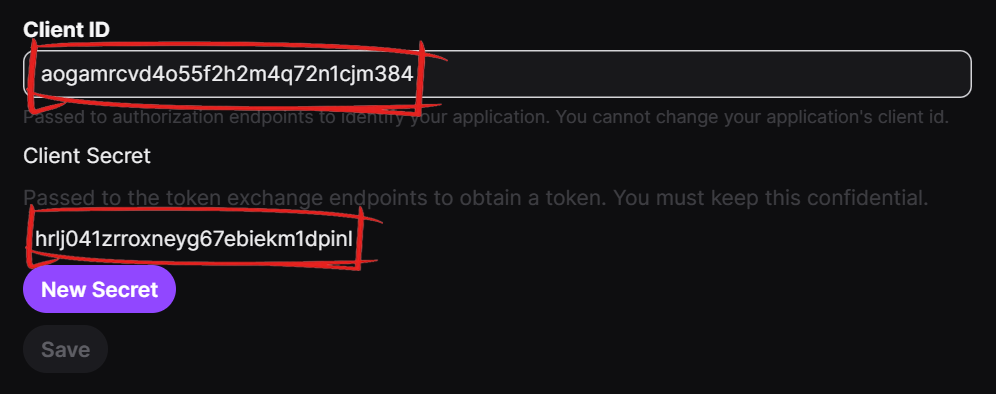
Scroll down and click on New Secret
Copy keys
Paste keys